
5.1, 7.1 and 9.1 surround conversion
Official Upmixify app
Upmixify — 5.1+ Surround Audio Converter
Create surround-ready audio for creator and home-theater workflows.
OfficialUpmixify release
AndroidPhone, tablet & TV support varies
Free downloadGoogle Play available
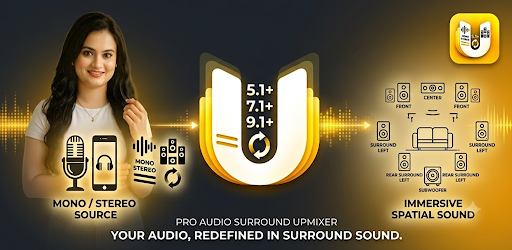
Create surround-ready audio for creator and home-theater workflows.
Import or record audio, choose a surround layout, preview channel activity and export compatible multichannel files for supported editors and playback systems.
Highlights
What you can do
Custom speaker-level control
Live recording and channel visualization
WAV, FLAC and WavPack export workflows
On-device audio processing
Watch
See Upmixify — 5.1+ Surround Audio Converter in action
Frequently asked questions
Upmixify — 5.1+ Surround Audio Converter FAQ
Practical answers about features, compatibility, downloads and common Upmixify — 5.1+ Surround Audio Converter use cases.
How can I convert mono or stereo audio to 5.1 surround sound on Android?
Upmixify 5.1+ Surround Audio Converter is designed to import or record audio, process it into a multichannel layout and export supported surround-ready files. You can choose a 5.1, 7.1 or 9.1 workflow and adjust supported speaker-channel levels before export.
Can this Android app convert stereo music into 5.1, 7.1 or 9.1 multichannel audio?
Yes. The app provides stereo-to-surround processing for 5.1, 7.1 and 9.1 layouts. The result is an upmix created from the source audio; it does not recover original studio stems that were never present in the stereo file.
Is Upmixify a stereo to 5.1 audio converter for Android phones and tablets?
Yes. It is an Android audio conversion app built for mono and stereo sources and multichannel surround output workflows. Device support, available encoders and final playback behavior can vary by Android version and hardware.
Can I control individual speaker levels when converting stereo audio to surround?
The app includes custom speaker-level controls so supported Front, Center, LFE and Surround channels can be balanced before the file is exported.
Which surround layouts are available in the Upmixify audio converter?
The app supports workflows for 5.1, 7.1 and 9.1 channel layouts. The exact output options available can depend on the selected format and device capabilities.
Can I record audio and convert the recording to surround sound in the same app?
The app includes a live recording workflow along with channel visualization, allowing supported recordings to be used in the surround conversion process.
Which audio export formats are supported by the 5.1+ Surround Audio Converter?
The app listing includes WAV, FLAC and WavPack export workflows. Availability can depend on the selected channel layout, encoder support and app version.
Is stereo to 5.1 conversion the same as a native movie studio surround mix?
No. Upmixing derives additional channels from a mono or stereo source using audio processing. A native studio mix contains separately authored channels and cannot be recreated exactly when those original stems are absent.
Can content creators use this app to prepare surround audio for video editing?
It can be useful for creators who want a multichannel audio file for supported editors, test projects or home-theater playback workflows. Always confirm that the target editor and export format support the chosen number of channels.
Does the Upmixify surround converter process audio on the Android device?
The app is designed around on-device audio processing for its conversion workflow, so the core conversion does not require uploading the source to a remote conversion service.
Is Upmixify — 5.1+ Surround Audio Converter free to download on Android?
The public app page shows the current price and official download options. When the page shows Free, the app can be downloaded without an upfront app purchase, although optional ads, purchases or external service costs may still depend on the app version.
Where can I download the official Upmixify — 5.1+ Surround Audio Converter app safely?
Use the official Google Play button on this page when available. If Upmixify publishes a direct APK, this page also shows the official direct-download option so you do not need to rely on an unknown third-party APK website.
Does Upmixify — 5.1+ Surround Audio Converter work on Android TV, Google TV, phones and tablets?
Device support varies by app. Some Upmixify apps are specifically designed for Android TV while others focus on phones or tablets. Check the app description and Google Play compatibility for the exact device you plan to use.
Why might Upmixify — 5.1+ Surround Audio Converter behave differently on different Android devices?
Android versions, hardware decoders, audio routes, Bluetooth profiles, storage permissions and manufacturer changes can affect app behavior. Updating Android system components and the app can help with compatibility.
How do I get the latest version of Upmixify — 5.1+ Surround Audio Converter?
Google Play is the recommended source for automatic updates when the app is listed there. If an official direct APK is provided on this page, its version label can be used to compare releases.
Upmixify FTA Media Server
Turn your Android device into a personal media server for your local network.
View app →
Upmixify TV Remote App (Universal/Game)
Control compatible Android TV, Google TV and TV boxes using Wi-Fi, Classic Bluetooth or Modern Bluetooth.
View app →
Upmixify FTA Network/IPTV Player
Play your own M3U, SAT>IP, DLNA, UDP/RTP and local media sources.
View app →
Upmixify 5.1+ Surround Audio Player
Play stereo music with immersive spatial and virtual surround processing.
View app →