
2.0, 2.1, 5.1, 7.1 and 9.1 listening modes
Official Upmixify app
Upmixify 5.1+ Surround Audio Player
Give your local music a wider, more immersive soundstage.
OfficialUpmixify release
AndroidPhone, tablet & TV support varies
Free downloadGoogle Play available
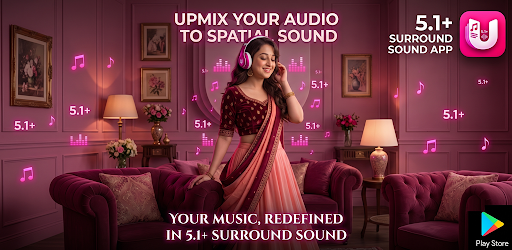
Give your local music a wider, more immersive soundstage.
Upmixify 5.1+ Audio Player adds real-time spatial processing, virtual multichannel layouts, equalizer controls and bass enhancement for supported headphones, speakers and playback paths.
This music player can be used on Android Smartphones, Android smart TVs, and Android TV boxes.
Highlights
What you can do
3D headphone spatializer
10-band equalizer and useful presets
Bass and subwoofer enhancement
Local MP3, FLAC, WAV, AAC and OGG playback
Watch
See Upmixify 5.1+ Surround Audio Player in action
Frequently asked questions
Upmixify 5.1+ Surround Audio Player FAQ
Practical answers about features, compatibility, downloads and common Upmixify 5.1+ Surround Audio Player use cases.
How can I play stereo music with 5.1 or 7.1 surround processing on Android?
Upmixify 5.1+ Surround Audio Player can play supported local audio and apply spatial or virtual multichannel processing with selectable listening modes such as 2.0, 2.1, 5.1, 7.1 and 9.1.
Is there an Android music player with virtual 5.1, 7.1 and 9.1 surround modes?
Yes. Upmixify 5.1+ Surround Audio Player includes multiple listening layouts and real-time spatial processing for supported playback paths. Actual speaker output depends on the connected hardware and Android audio route.
Can I use the Upmixify surround audio player with headphones?
The app includes a 3D headphone spatializer intended to create a wider virtual sound field on supported headphones and Bluetooth audio devices.
Does this 5.1 audio player support MP3, FLAC, WAV, AAC and OGG files?
The app listing includes local playback for MP3, FLAC, WAV, AAC and OGG. Support for a particular file can still depend on its codec details and the media capabilities available on the device.
Can I adjust bass and equalizer settings while using surround audio modes?
Yes. The app includes a 10-band equalizer, useful presets and bass or subwoofer enhancement controls for supported playback.
Will a stereo song become true native 5.1 audio when I select 5.1 mode?
No. A stereo track remains a two-channel source. The app can spatialize or virtually distribute that source for a surround-style listening experience, but it does not create the original discrete studio master.
Can the Upmixify music player work with Bluetooth speakers or headphones?
It can play through Android audio routes such as supported wired, Bluetooth or speaker outputs. The number of physical channels and the final spatial effect depend on the connected device and Android audio system.
Is the surround music player useful for testing a home audio setup?
It can help compare listening modes and channel-processing effects, but dedicated calibration files and hardware diagnostics are better for verifying exact physical speaker wiring.
Does the app support local music playback without a streaming subscription?
Yes. Its listed workflow focuses on playing supported local audio files, so you can use your own music files without needing a music-streaming subscription.
What is the difference between 2.1, 5.1, 7.1 and 9.1 listening modes in the app?
The modes represent different virtual or supported channel layouts. Higher channel counts add more surround positions, while the audible result depends on the source, processing settings and the output hardware.
Is Upmixify 5.1+ Surround Audio Player free to download on Android?
The public app page shows the current price and official download options. When the page shows Free, the app can be downloaded without an upfront app purchase, although optional ads, purchases or external service costs may still depend on the app version.
Where can I download the official Upmixify 5.1+ Surround Audio Player app safely?
Use the official Google Play button on this page when available. If Upmixify publishes a direct APK, this page also shows the official direct-download option so you do not need to rely on an unknown third-party APK website.
Does Upmixify 5.1+ Surround Audio Player work on Android TV, Google TV, phones and tablets?
Device support varies by app. Some Upmixify apps are specifically designed for Android TV while others focus on phones or tablets. Check the app description and Google Play compatibility for the exact device you plan to use.
Why might Upmixify 5.1+ Surround Audio Player behave differently on different Android devices?
Android versions, hardware decoders, audio routes, Bluetooth profiles, storage permissions and manufacturer changes can affect app behavior. Updating Android system components and the app can help with compatibility.
How do I get the latest version of Upmixify 5.1+ Surround Audio Player?
Google Play is the recommended source for automatic updates when the app is listed there. If an official direct APK is provided on this page, its version label can be used to compare releases.
Upmixify FTA Media Server
Turn your Android device into a personal media server for your local network.
View app →
Upmixify TV Remote App (Universal/Game)
Control compatible Android TV, Google TV and TV boxes using Wi-Fi, Classic Bluetooth or Modern Bluetooth.
View app →
Upmixify FTA Network/IPTV Player
Play your own M3U, SAT>IP, DLNA, UDP/RTP and local media sources.
View app →
Upmixify — 5.1+ Surround Audio Converter
Convert mono or stereo audio into multi-channel surround audio on your device.
View app →